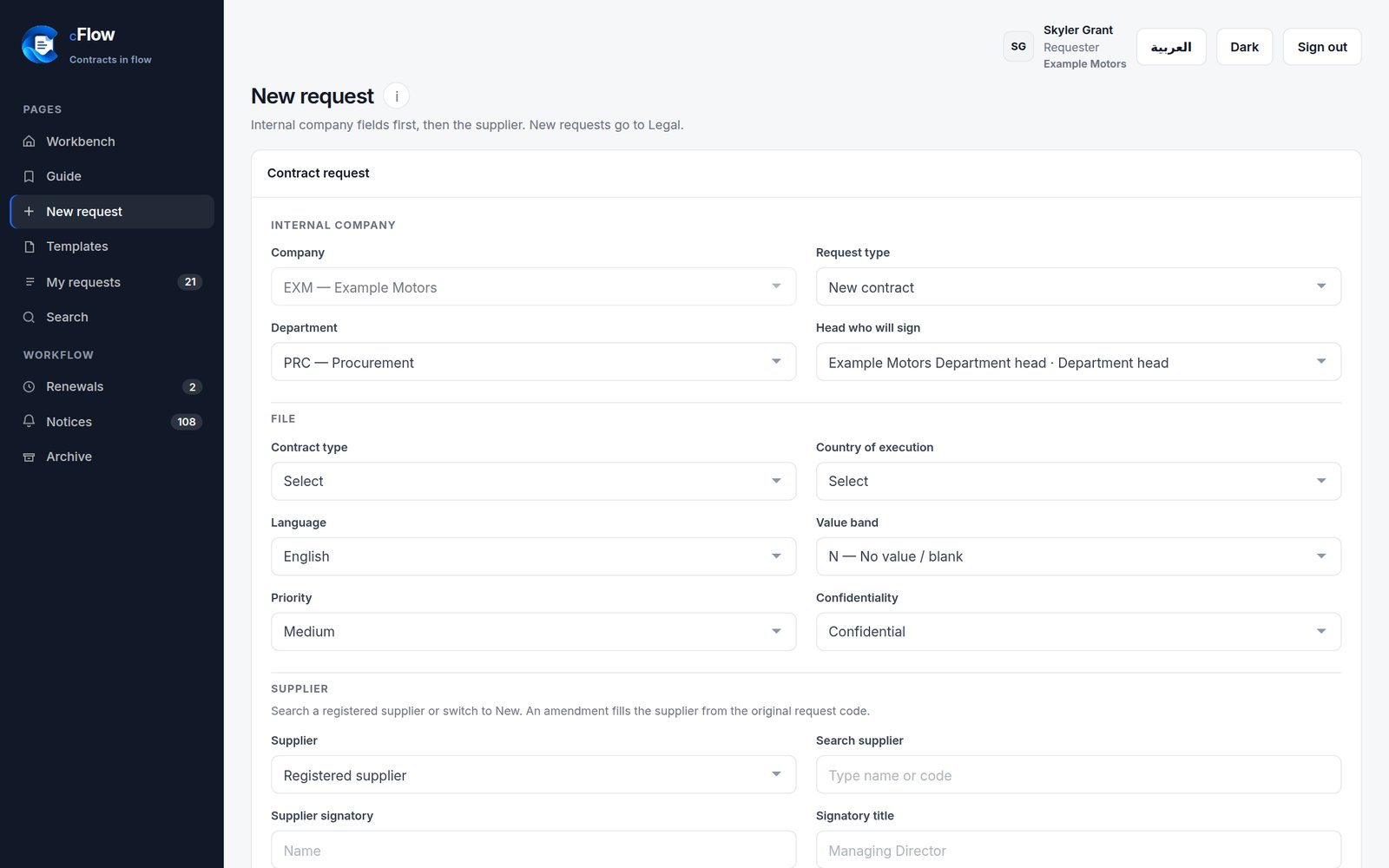
Smart request form
Internal details first, then the supplier. Search the supplier register as you type; amendments fill from the original code.
Contract lifecycle management · SaaS
CFlow moves every agreement through one clear path — request, Legal review, signatures by Delegation of Authority, archive and renewals — so Legal, leadership and every department work on the same file, in Arabic or English, on desktop or mobile.
Developed by &


cr_0412 · Supply agreement
Example Motors · Alpha Trading LLC
How it works
Four moments, one file. Pick a step to see it in the product.
Features
Internal details first, then the supplier. Search the supplier register as you type; amendments fill from the original code.
Comments, mark-ups and file versions stay on the contract — like a chat — until the review is done.
Legal routes signatures to the Department Head, GM or CEO from the approved Delegation of Authority.
Bring in Finance, HR, IT or Sales by contract type, without chasing anyone by e-mail.
Download, sign and archive pre-approved forms with no Legal loop. Any change becomes a new request.
Hand work to a colleague — temporary with dates, or permanent — for leave and handovers.
Final signed copy with confidentiality and retention; full version history one click away.
End date, a 30 / 60 / 90-day flag and an automatic renewal date — no contract lapses by surprise.
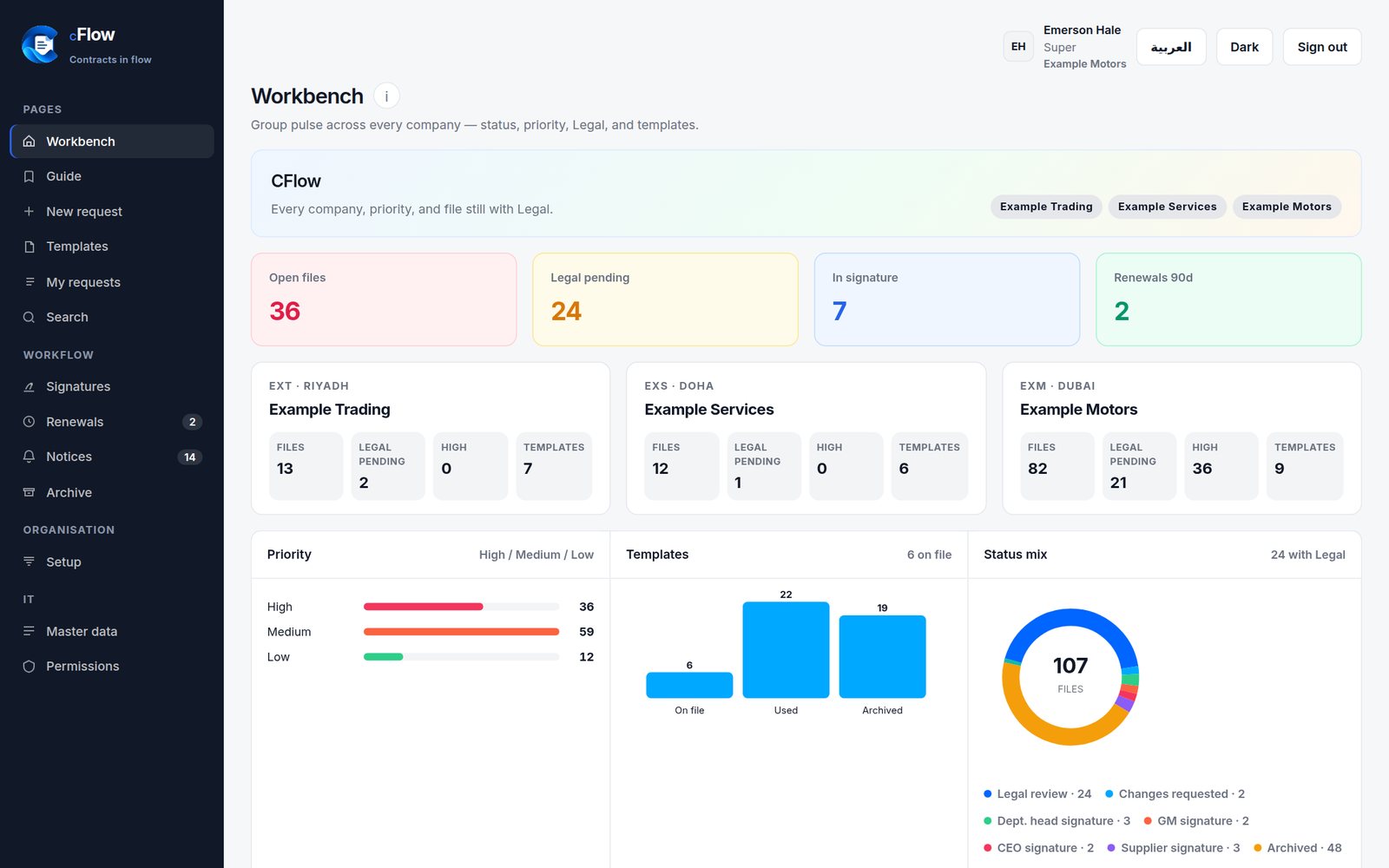
Every company at a glance: requests, Legal-pending items, priorities and templates.
A role matrix owned by IT, following the company's authority matrix. Files separated per company.
Know when a file needs you, and when a contract is close to its end date.
Switch language in one click, with a true right-to-left layout for Arabic.
Built for every desk
Oversight
Top management opens CFlow to a live view across companies — a box per company, priorities, templates and the status of every open file.
Subscriptions
Annual SaaS subscription by named-user pack. The product is the same — the seat count is the choice.
10 named users
$4,500USD / year
The full CFlow flow for a tight legal room.
Most chosen
35 named users
$9,500USD / year
The same product, scaled across departments.
Your shape of CFlow
Quoteprice on request
More seats, a private tenancy, or a fit we price with you.
Request a quoteWho builds CFlow
CFlow is designed, developed and operated as a SaaS service by NODES LLC together with Illevante Cloud & Software Services.
FAQ
No. CFlow is a SaaS service, hosted and operated for you over a secure HTTPS connection. You sign in from any browser.
Yes. Every page switches between English and Arabic, with a full right-to-left layout.
Yes. The interface is built for phones and tablets, and can be installed on your home screen like an app.
Your Delegation of Authority. Legal routes each contract to the authorised signatory, and the IT team keeps the permission matrix aligned with your approved authority matrix.
Yes. Each company's files are separated, while authorised roles such as top management get a group view.
Try the live demo, then send us your user list and authority matrix — we set up the accounts and share the permissions page with your IT team.

See the full path — request, review, signature and archive — in a couple of minutes.